Help Desk Integration - Magento & Enchant
Displays customer details and recent orders on the customer sidebar


'%3e%3cpath%20d='M14,7H9V2A1,1,0,0,0,7,2V7H2A1,1,0,0,0,2,9H7v5a1,1,0,0,0,2,0V9h5a1,1,0,0,0,0-2Z'%20vector-effect='non-scaling-stroke'%20fill='%23637887'%20/%3e%3c/g%3e%3c/svg%3e)

Adobe Commerce (formerly Magento) uses AI and advanced data sharing capabilities to create end-to-end personalized B2C and B2B commerce experiences from a single platform that is flexible, extensible, and scalable.
Relevant Information at Your Fingertips
Enchant’s Magento integration allows your team to see customer data, such as recent orders, right beside their conversations in their inbox. With this data, your team can create personalized experiences for your customers and create a better customer experience overall.
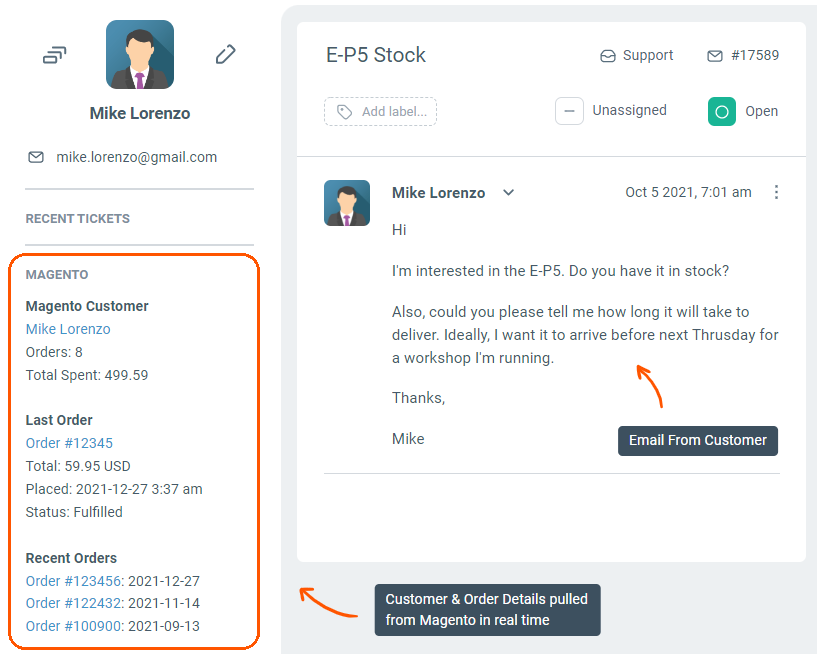
Additionally, the integration eliminates the need to manually look up and manage customer data. This makes customer service more efficient and allows you to build better relationships.
Convenient Even On the Move
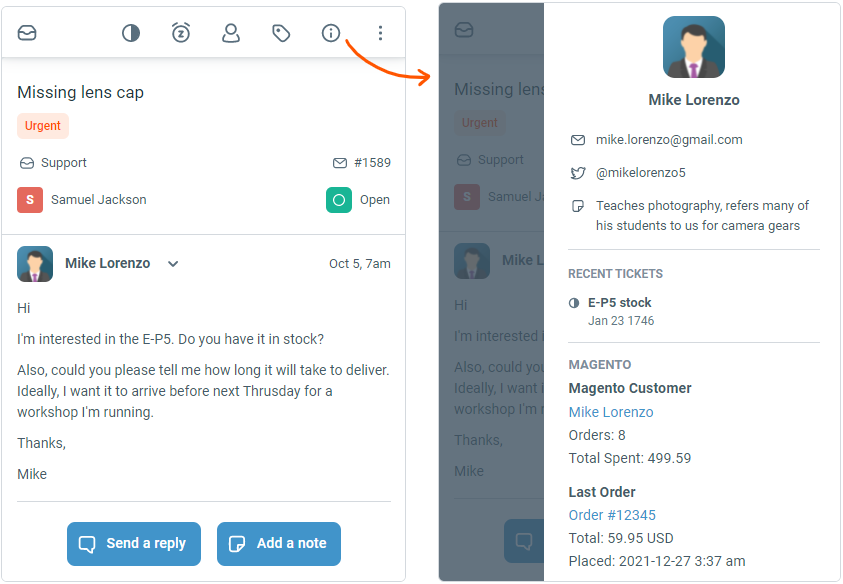
The same information is also easily available on the mobile version of Enchant web app so your team can answer customers on the go.
Manage Multiple Stores or Brands
Everything you need to manage all your stores in one place.
- Shared Inboxes: Capture communications for all Magento stores inside Enchant shared inboxes. This includes all channels: email, text messaging (SMS), and social.
- Live Chat: Customized live chat widgets for all your stores
- FAQs & Knowledge Bases: Create store-specific content from within Enchant and publish it either as a dedicated support site or integrate it into the on-site live chat widget.
Learn more about managing multiple brands with Enchant here.
Integrate Magento with a Few Clicks
Connect your Magento store with Enchant by adding the Magento app from the settings page. It's a hassle free no-code solution that does not require use of advanced technical skills.
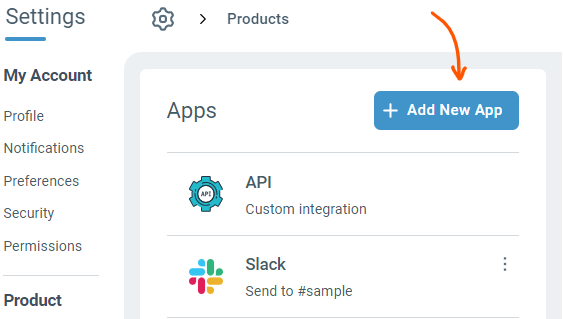
When you add the Magento app, the system will guide you through a few simple steps to give Enchant access to your Magento store. If you have any questions, feel free to reach out to us for more details.
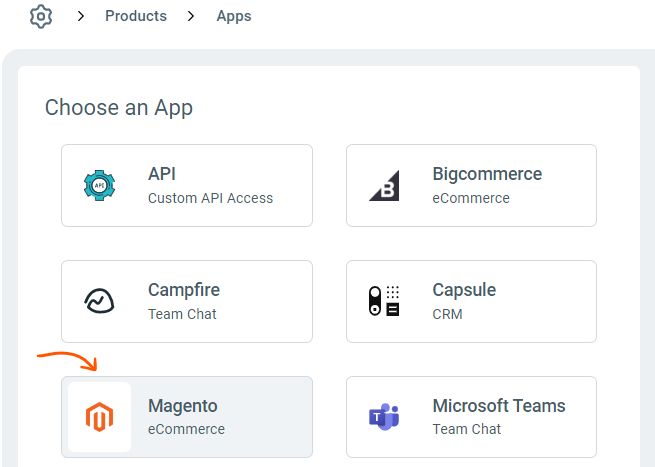
For more details on how to add Magento Integration to Enchant, see instructions here.
Common Questions

Delight your customers with awesome service
Start free today. No credit card required.


